
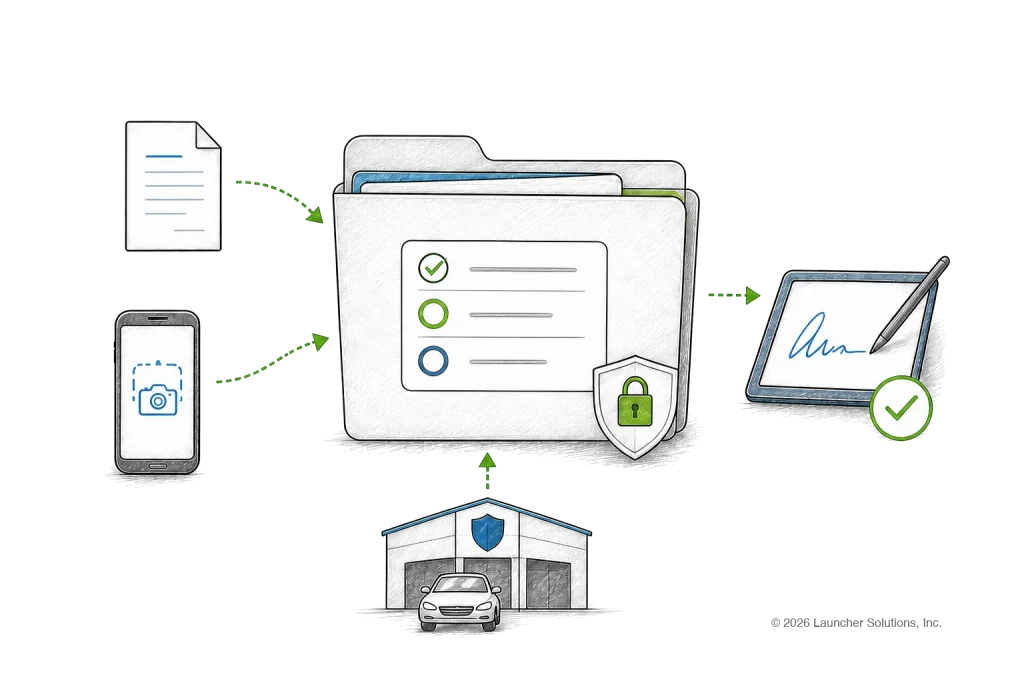
Collect documents. Generate forms. Get signatures. Keep everything connected to the loan.
appTRAKER DOCS & FORMS brings document management, form generation, Form Packs, eSign and document APIs directly into the loan origination process.
From applicant documentation and dealer stipulations to contracts, disclosures and completed eSign documents, everything stays connected to the application.
One Place for the Complete Loan File
DOCS & FORMS collects lender, dealer, applicant, vendor, generated-form and eSign documents in one loan file, through a centralized document workflow inside appTRAKER LOS.
Forms can be selected for a Form Pack based on criteria such as:
Documents can enter the loan workflow through supported channels including:
Lending Forms From Leading Document Providers
DOCS & FORMS supports lender-created forms as well as established lending document providers.
API Access to Documents & Forms
Authorized systems can submit, retrieve and exchange supported documents and forms through the appTRAKER REST API.
This makes DOCS & FORMS easier to integrate with lender portals, servicing systems, document platforms and other enterprise applications.
Why appTRAKER DOCS & FORMS?
From Application to Completed Loan File
DOCS & FORMS keeps the document lifecycle connected from application intake through contracting, funding and booking.
Collect
Applicant and dealer documents arrive from appTRAKER LOS, Dealer Portal, CONNECT, applicant-facing workflows or the REST API.
Verify
Supporting documents are matched to the stipulations they satisfy, as part of verification rather than beside it.
Generate
Forms populate from data already captured in appTRAKER, with no duplicate entry and no manual preparation.
Package
A Form Pack assembles the right documents for the transaction by state, program, collateral and lender-defined rules.
Sign
Documents move to DocuSign or Crypton eSign, and completed files return to the application automatically.
Complete
The full loan file stays with the application through contracting, funding and booking.
The final loan record contains the received documents, satisfied stipulations, generated forms, signature status and the completed contract version — everything stays with the loan.
Frequently Asked Questions About appTRAKER DOCS & FORMS
What is appTRAKER DOCS & FORMS?
appTRAKER DOCS & FORMS is the document-management and form-generation capability within the appTRAKER lending platform.
It connects document intake, document storage, mapped forms, Form Packs, third-party document providers, eSign and API access with the loan origination workflow.
What is the difference between DOCS and FORMS?
DOCS manages documents associated with the application, including uploaded, received, generated and signed documents.
FORMS manages the generation and packaging of configured lender and third-party loan forms using application data.
Together they provide a connected loan-document lifecycle.
Can appTRAKER generate forms using application data?
Yes. Configured forms can map appTRAKER application and transaction information into the appropriate fields, reducing repetitive manual data entry.
Can lenders use their own forms?
Yes. Lender-specific and proprietary forms can be configured alongside supported third-party document products.
What are Form Packs?
Form Packs group related documents together for a particular transaction, state, program or workflow.
Rules can also determine whether individual ancillary forms should be included in a particular Form Pack.
Does appTRAKER support state-specific forms?
Yes. Forms and Form Packs can be configured according to state and other transaction criteria.
Where do document templates come from?
Document templates come from three sources. Supported third-party document products are provided through the CarletonDocs integration, including Reynolds document products through CarletonDocs-Reynolds. Wolters Kluwer lending forms can be mapped to appTRAKER data. Lender-specific and proprietary templates can also be configured and used alongside them.
Does appTRAKER integrate with CarletonDocs?
Yes. appTRAKER has an established CarletonDocs integration for lending document generation and configured document sets.
What is CarletonDocs-Reynolds?
CarletonDocs-Reynolds provides appTRAKER lenders access to supported Reynolds document products through the CarletonDocs integration.
Launcher transitioned its supported Reynolds document offering to this model following the end of its legacy direct Reynolds reseller relationship in February 2026.
Does appTRAKER support Wolters Kluwer forms?
Yes. Wolters Kluwer lending forms can be mapped to appTRAKER data and incorporated into state-specific and lender-specific Form Packs and eSign workflows.
Can Wolters Kluwer forms and lender forms be used together?
Yes. Third-party forms and proprietary lender forms can participate in the same configured document package.
Does DOCS & FORMS support electronic signatures?
Yes. appTRAKER supports configured eSign integrations including DocuSign and Crypton eSign.
What happens after an eSign transaction is completed?
Supported workflows can return completed documents to the application’s document record along with applicable completion information.
Can dealers upload documents?
Yes. Dealer Portal can allow authorized dealers to upload supporting documentation and documents associated with lender stipulations.
Can applicant email attachments become loan documents?
CONNECT supports receiving applicable email and MMS attachments and routing inbound communication to the appropriate application.
Does DOCS & FORMS have an API?
Yes. appTRAKER REST API includes APIs supporting documents and forms.
Can another system upload documents into appTRAKER?
Yes. The Document Submission API allows authorized external systems to submit documents into appTRAKER DOCS and associate them with an application.
Can another system retrieve documents from appTRAKER?
Yes. The Document API allows authorized integrations to access a list of documents associated with an application and retrieve individual documents through supported methods.
Can forms be accessed through the API?
Yes. The Form API allows authorized integrations to obtain forms associated with an application and retrieve individual form contents through supported methods.
Can API permissions be limited?
Yes. appTRAKER REST API uses environment-specific API keys that can be configured to allow access to specific methods.
Can DOCS & FORMS support custom integrations?
Yes. The combination of REST APIs and appTRAKER’s integration architecture allows lenders to incorporate document workflows into other authorized systems and processes based on implementation requirements.